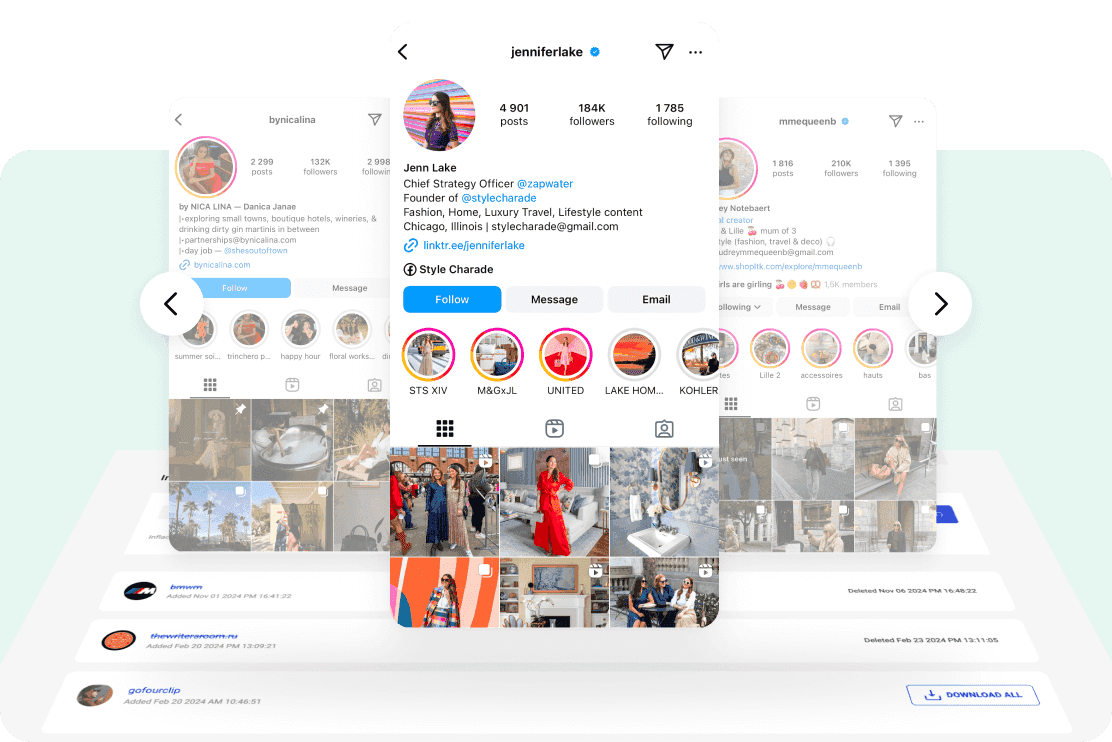
IIf you follow celebrities, creators, or your favorite couples on Instagram, you know how often a single profile photo sets the tone for a whole story. Maybe a singer switched to a new album-era look. Maybe a power couple soft-launched a relationship with a matching DP. Either way, sometimes you want that image saved in full resolution for your inspo board, a phone wallpaper, or research for a post. Instagram does not let you download profile images directly, but there is a simple, safe workaround. This guide shows you exactly how to download Instagram profile pictures in full size using indownloader.app, plus a few smart tips to stay organized and respectful.
Why People Download Instagram Profile Photos
Instagram profile pictures are tiny on the app, but they carry big meaning. For fans and pop culture writers, a DP can hint at a new era, a collab, or a relationship update. For social media managers and bloggers, the profile image is often the cleanest asset when you need an on-brand headshot. Here are the most common reasons readers at CelebHusband ask about downloading Instagram profile pictures:
- You want the full size profile photo instead of a small circle crop
- You create aesthetic boards for hairstyles, makeup, or outfits
- You track rebrands and want a high quality image for posts, thumbnails, or newsletter features
- You want to compare older DPs to new ones during a celebrity timeline deep dive
Whatever the reason, you should be able to save a crisp version without hassle. That is where indownloader.app comes in.
Meet indownloader.app: A Quick, No-Signup IG Profile Saver
indownloader.app is a browser-based tool that works on phones, tablets, and computers. There is nothing to install and no account to create. You paste an Instagram link, and it returns the downloadable assets at the best available quality. It supports videos and photos too, but in this guide we focus on downloading Instagram profile pictures.
What you get with indownloader.app:
- Fast lookups from any modern browser
- Clean MP4 or JPG downloads where available
- No watermark on profile images
- Works with most public accounts
- Simple workflow that is beginner friendly
If you have ever used an Instagram DP downloader or Instagram image downloader, the flow will feel familiar. The difference is that indownloader.app is lean, easy, and focused on getting you the asset you actually want.
Step-by-Step: How to Download an Instagram Profile Picture in Full Size
The whole process takes less than a minute.
Step 1: Copy the Instagram profile link
Open Instagram and go to the account whose profile picture you want to save. Tap the three dots in the top right of the profile and choose “Copy Profile URL”. On desktop, copy the address bar link.
Step 2: Open indownloader.app
In your browser, go to indownloader.app. You will see a single input field on the homepage.
Step 3: Paste the link and search
Paste the profile link into the field and start the lookup. The tool will fetch available media associated with that profile, including the display picture.
Step 4: Download the full size image
Choose the profile picture result and click Download. If multiple sizes exist, select the highest resolution for an HD profile pic. The file will save to your device’s default downloads folder.
That is it. You now have a clean, high resolution DP. If you are archiving for a research piece or mood board, rename the file with the celebrity’s handle and date, like @username_profile_2025_11.jpg so you can find it later.
Bonus: Save Posts, Reels, and Carousels When You Need Them
While our main topic is downloading Instagram profile pictures, indownloader.app also handles standard posts, Reels, and carousels from public accounts. That can be useful when you are building a timeline article, creating a video collage, or documenting a style evolution. Paste the link of the specific post, then select the file type you want. It is a versatile Instagram photo saver when you need a little more than just the DP.
FAQ: Downloading Instagram Profile Pictures with indownloader.app
Can I view an Instagram display picture in full size?
Yes. Paste the profile link into indownloader.app and select the DP result to access the highest resolution available.
Is indownloader.app an IG profile saver or a general Instagram downloader?
Both. It focuses on downloading Instagram profile pictures, but it can also fetch public photos, Reels, and carousels when you paste specific post links.
Does this work on phones?
Yes. It works in your mobile browser on iOS and Android. No apps required.
Is there a watermark or compression?
Profile photos download without a watermark. Quality depends on what Instagram serves, and indownloader.app simply provides the best available version.
Can I download from private accounts?
No. Only public profiles and posts are supported.
Is this safe to use?
You do not sign in, and you do not install anything. For personal research and inspiration boards, it is a low-friction option. Always follow your local laws and Instagram’s terms.
What are good related tools or terms I should know?
Readers often search for Instagram DP downloader, profile picture viewer, save Instagram DP, download Instagram display picture, and IG downloader app. indownloader.app covers the core use cases those terms imply.
Can I download Facebook profile pictures?
No, you need a tool like FVDownloader.net to download Facebook profile pictures.
Final Takeaway: Keep It Simple, Keep It Respectful
Downloading Instagram profile pictures should not be a struggle. With indownloader.app, you paste a profile link and get the best version of the image in seconds. Organize your files, credit creators when you share, and use the assets to enhance your stories, boards, and posts. Whether you are documenting a rebrand, tracking a couple’s public era, or curating style inspiration, you now have a straightforward, reliable Instagram profile picture downloader that fits right into your workflow.
Ready to try it yourself? Open your browser, head to indownloader.app, and save the profile image you have been eyeing. Clean, quick, and no signups needed.