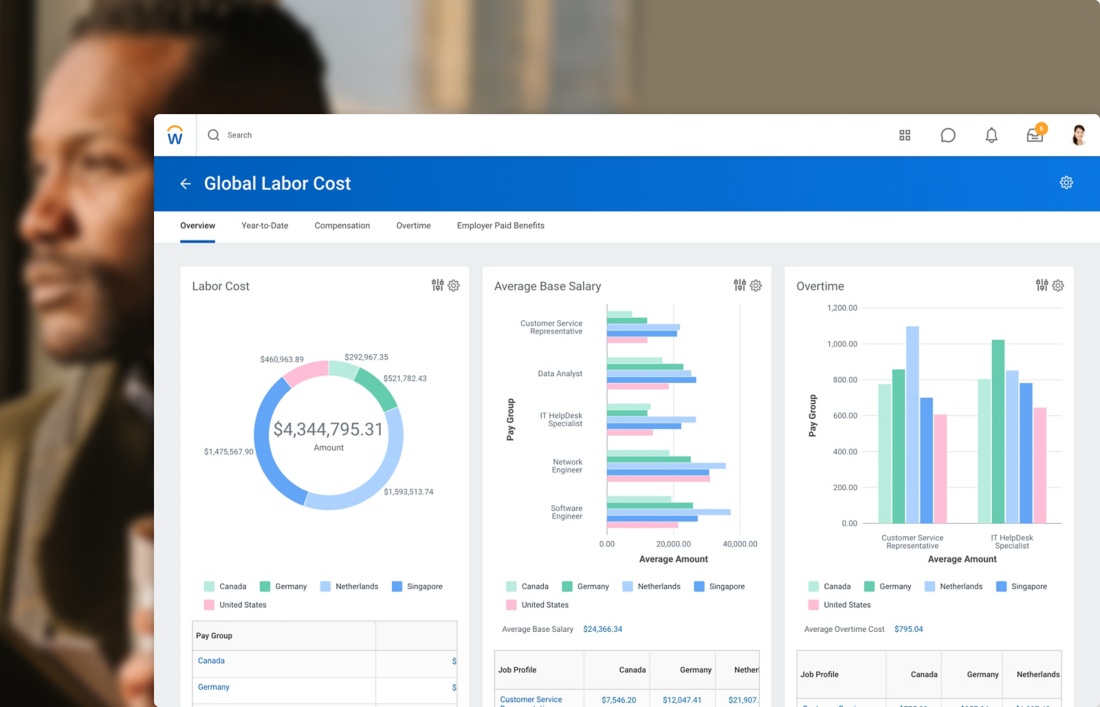
Managing a team is one of the most time-consuming parts of running a business. Shift planning, tracking attendance, handling time-off requests, controlling labor costs — all of it eats into hours that could be spent on work that actually moves the needle. That is exactly why workforce management software exists, and why more businesses in 2026 are finally making the switch from spreadsheets to dedicated tools.
But choosing the right platform is harder than it looks. The market is crowded, pricing varies wildly, and feature sets overlap in ways that make honest comparisons difficult. This guide breaks down what actually matters when evaluating options — and how to avoid paying for things you do not need.
What Workforce Management Software Actually Does
Strip away the marketing language and most workforce management tools are solving the same three problems: who is working when, did they actually show up, and is the labor spend staying within budget. Every other feature — integrations, compliance alerts, performance dashboards — exists to support those three things.
Scheduling covers building rosters, managing availability, approving shift swaps, and dealing with last-minute absences. Time tracking captures clock-ins and clock-outs, monitors breaks, and feeds accurate hours into payroll. Labor cost visibility gives managers a real-time picture of spend versus budget before the week is over rather than after payroll has already run.
The reason manual methods fail as teams grow is simple: the coordination overhead scales faster than the headcount. A manager handling 8 people can keep a schedule in their head. The same manager handling 25 people across two shifts cannot, and the mistakes that follow — missed coverage, unnecessary overtime, payroll errors — cost more than any software subscription.
What Businesses Actually Spend on These Tools
Workforce management software pricing ranges from around $1 per user per month for SMB-focused platforms up to $72 per user per month for enterprise-tier solutions. Most tools targeting small and mid-sized businesses sit in the $1 to $6 range, though that number gets complicated quickly when vendors separate scheduling from time tracking and charge for each module independently.
Some lower-priced plans include only a scheduling tool or a time tracking app, while higher-cost plans come with a full suite including payroll and POS integrations. That distinction matters when you are building a true cost comparison. A platform advertised at $2.50 per user can realistically cost $5 or more once you add the modules you actually need.
Here is where most buyers make the mistake. They compare headline prices without accounting for what is actually included. For a team of 25 employees, the gap between a $1 per user tool and a $4.50 per user tool comes to $87.50 every month — over $1,000 across a year — often for features that work almost identically in practice. Before settling on a shortlist, spend time with detailed workforce management software pricing breakdowns that show exactly what each tier includes, what is locked behind upgrades, and whether time tracking costs extra.
The Features That Separate Good Tools From Mediocre Ones
Not every feature in a marketing brochure translates into something you will actually use. Based on what operational teams consistently report as high-value, the list narrows down to a few specific capabilities.
Auto-scheduling is the single biggest time saver. Instead of manually assigning shifts, the system generates a roster based on availability, rules, and demand patterns. Managers review and approve rather than build from scratch. For businesses with rotating shifts or variable staffing needs, this alone justifies the subscription cost.
Open shift management matters almost as much. When a shift goes uncovered, the system broadcasts it to eligible employees and fills the gap without manager intervention. This eliminates the chain of phone calls and group messages that typically follow a last-minute absence.
GPS clock-in with geofencing prevents time fraud at distributed locations. Employees can only clock in when they are physically at the job site. For cleaning companies, security firms, healthcare providers, and any business with staff working across multiple locations, this feature prevents payroll inaccuracies that are otherwise invisible in manual systems.
Payroll export removes the manual data entry step between timesheets and salary processing. Rather than downloading a spreadsheet and re-entering numbers into payroll software, hours transfer automatically. Errors drop significantly and the payroll cycle shortens.
One feature that rarely gets enough attention in buying guides is multilingual support. Walk into any mid-sized warehouse, care home, cleaning operation, or hospitality business and you will find teams communicating in two, three, sometimes four languages. A scheduling app that only works in English is not a neutral inconvenience — it actively reduces adoption among the employees who most need visibility into their own shifts. Before committing to a platform, go through the full employee scheduling software features list carefully. Language support, offline access, and push notification settings are the kinds of details that get glossed over in demos but matter enormously once the tool is in daily use across a real team.
The Questions to Ask Before You Buy
Before starting a trial or sitting through a sales demo, it helps to have clear answers to the following questions.
How many employees will use the system, and across how many locations? Per-user pricing compounds fast. A tool that feels affordable for 15 people becomes expensive at 60. Some platforms charge per location rather than per user, which favors businesses with many employees at a few sites — and disadvantages businesses with few employees spread across many locations.
Do you need time tracking included in the base price, or are you willing to pay for it separately? Several popular tools charge independently for scheduling and attendance. If you need both — and most businesses do — the effective cost per user is noticeably higher than the advertised entry price.
What does your team’s mobile usage look like? If managers and employees are primarily working from phones, the quality of the mobile app matters as much as the desktop version. Some platforms are clearly built for desktop and have mobile apps that feel like afterthoughts. Check reviews specifically about mobile experience before committing.
What integrations do you actually use day to day? Payroll software, POS systems, HR platforms, and accounting tools all have different compatibility. A platform with deep QuickBooks integration adds no value if your business runs on a different payroll provider. Match the integrations to your actual stack, not the longest integration list on a vendor’s website.
What Good Implementation Looks Like
Buying the right software is the easy part. Getting the team to actually use it consistently is where most implementations fall apart — and usually for reasons that have nothing to do with the product itself.
The approach that consistently works is narrow rollout first. Pick one location, one department, or one shift type. Run the new system there properly for three to four weeks before expanding. The lessons learned in that first cohort — what confused people, what they ignored, what they actually found useful — will save you significant time when you scale to the rest of the business.
Managers need to be trained before employees touch the system. This sounds obvious but gets skipped constantly. If a manager is uncertain how to approve a swap request or read a timesheet report, they will quietly avoid the tool rather than admit they do not know how it works. That uncertainty spreads to the team fast.
Pick a date to kill the old method and hold to it. Parallel systems are the enemy of adoption. As long as the shared Google Sheet or the whiteboard in the break room is still considered the real schedule, the new platform will always be secondary. One source of truth, enforced from a fixed date, is what actually changes behavior.
The Bottom Line
The workforce management software market in 2026 has reached a level of maturity where there are solid options at every price point. The difference between a $1 per user tool and a $6 per user tool is rarely about core quality — it usually comes down to depth of features that a significant portion of buyers will never actually use.
Match the platform to the real complexity of your operation. Understand the true per-user cost after any add-ons. Make sure the mobile experience is good enough that employees will use it without being forced to. And run a genuine trial with real team members before signing anything.
The businesses that get the most out of workforce management software are not the ones who picked the most powerful platform. They are the ones who picked the right fit and then actually implemented it properly.